Birchgate Outdoor
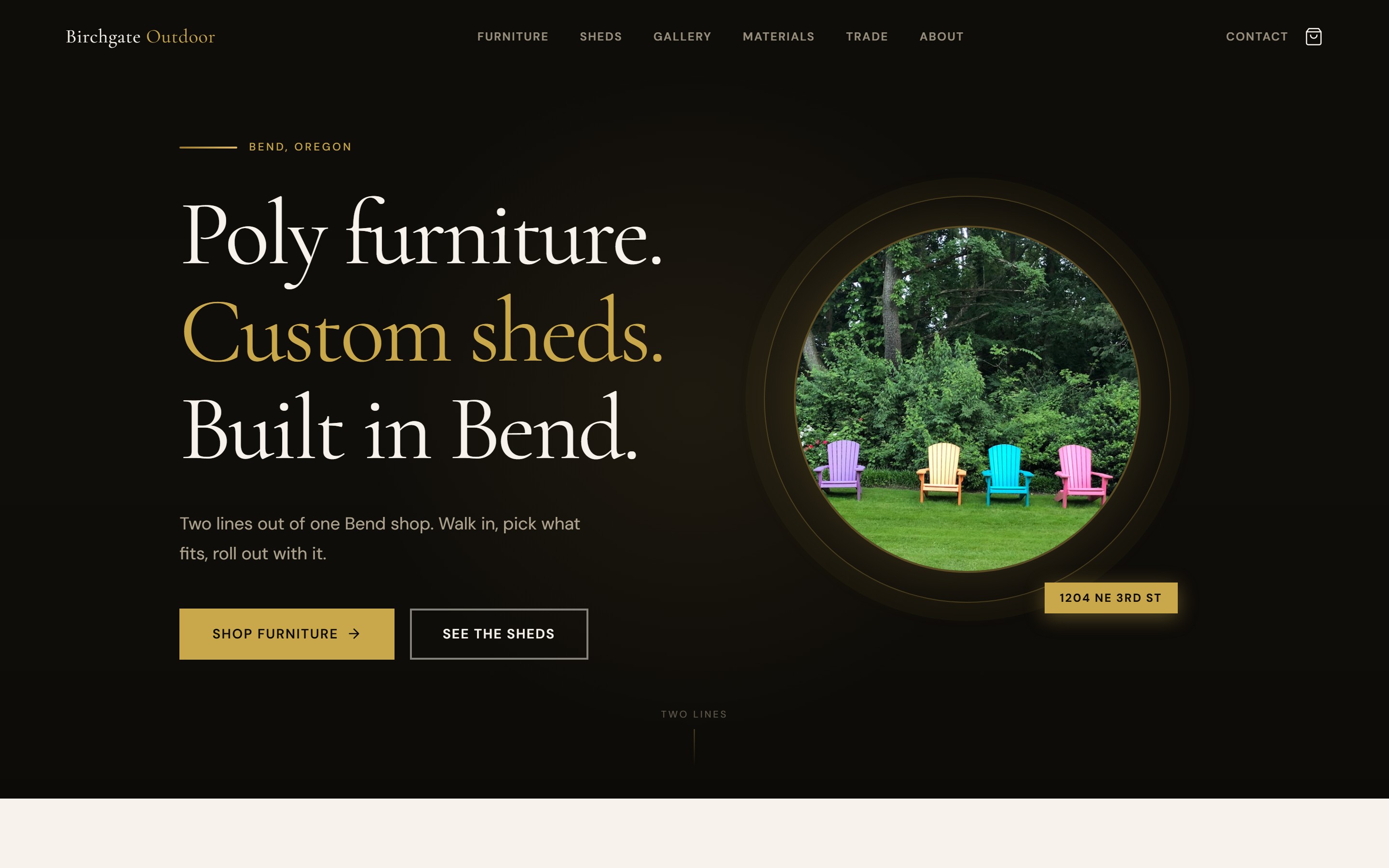
Outdoor furniture and shed builder template with two product lines, a working demo cart, and eight product pages. Next.js 15, dark obsidian and gold.
A poly furniture shop and a shed builder usually end up with the same two bad options: a Facebook page that buries the catalog, or a Shopify store that costs more every month than it earns in the off-season. Birchgate Outdoor is the third option. You own the source, you pay once, and the catalog actually looks like the product.
It carries two product lines under one roof. A filterable shop with a real working cart, and a separate sheds section with a builds grid, a process walkthrough, and a quote flow. The design runs on Cormorant Garamond headings and DM Sans body copy, deep obsidian with gold accents and warm parchment. Eight product pages generate from a single data file, so the catalog is a config edit, not a rebuild.
Who this is for
- Poly outdoor furniture retailers: Adirondack chairs, rockers, benches, dining sets
- Custom shed and outbuilding builders
- Outdoor living showrooms with multiple product categories
- Garden supply and landscape product retailers
- Any physical showroom that needs a working cart and a real product catalog
Who this is not for
- Single-service businesses with nothing to put in a catalog
- Pure dropshippers who need live inventory sync
- Restaurants or appointment-based businesses. See Cedar Bell Nail Studio
- Anyone who wants a payment processor wired and live on day one with no setup
What’s inside
- 10 responsive pages: Home, Shop, Product Detail, Cart, Sheds, Gallery, Materials, Trade/Wholesale, About, Contact
- 8 product pages generated from a single products data file
- Working cart with localStorage persistence (demo mode, no backend)
- Color selector with 12 HDPE swatches on product pages
- Shop grid filterable by product category
- Custom sheds section: builds grid, features, process steps, inquiry CTA
- Masonry gallery grid for project photos
- Trade and wholesale inquiry page with a volume pricing teaser
- Scroll-triggered section reveal animations
- 9 Pexels stock photos included in the source
- Buyer README with the full customization guide
- Single-site commercial license
What you bring
- Your product names, prices, categories, and color options
- Your own furniture and shed photography
- Your logo and brand colors
- A checkout provider if you want live payments (Stripe, Shopify, or similar)
- Your business name, service area, and contact details
Birchgate vs the obvious alternatives
| Birchgate Outdoor | Shopify | Squarespace Commerce | |
|---|---|---|---|
| Cost | $59 one-time | $29 to $79 per month, plus apps | $23 to $49 per month, plus add-ons |
| You own the source | Yes | No | No |
| Two product lines in one site | Yes, built in | Manual collections | Manual |
| Catalog driven by one data file | Yes | Admin UI | Admin UI |
| Checkout | Wire your own | Shopify-hosted | Squarespace-hosted |
| Time to launch | A weekend | A weekend, then ongoing fees | A weekend, then ongoing fees |
| Hosting | Netlify or Vercel, free tier works | Shopify-hosted | Squarespace-hosted |
Note on the cart
The cart is intentionally demo-safe. It persists in the browser with localStorage so the full add-to-cart flow works the moment you open the demo. Connecting it to a real payment processor is a buyer step. The README walks through it.


How to set up Birchgate Outdoor
- Step 1 Install
Download the zip from the purchase email, extract it, and run `npm install` in the project root.
- Step 2 Edit the products data file
One file drives the whole catalog. Update product names, prices, categories, and the HDPE color swatches.
- Step 3 Choose your sections
Carry furniture, sheds, or both. The two product lines are separate sections, so trim whichever one you do not need.
- Step 4 Replace the brand
Swap the logo, favicon, and accent colors for yours.
- Step 5 Swap the photography
Replace the included Pexels photos with your own furniture and shed shots.
- Step 6 Wire checkout
The cart runs in demo mode with localStorage. Connect it to Stripe, Shopify, or your checkout provider when you are ready.
- Step 7 Deploy
Push to Netlify or Vercel.
Common questions
Do I have to sell both furniture and sheds?
No. The two product lines are separate sections. Carry one, carry both, or repurpose either section for a different product type.
Does the cart process real payments?
Not out of the box. It persists in the browser in demo mode so the flow is real end to end. Wiring it to Stripe or Shopify is a buyer step, and the README covers it.
Can I use this for a business that is not outdoor furniture?
Yes. Any physical showroom with a multi-line catalog fits. Garden supply, building materials, and home goods retail all work the same way.
How many product pages does it generate?
Eight, all built from a single products data file. Add or remove products by editing that one file.
Do I need Next.js experience?
Helpful but not required. The README walks through the data file, the brand swap, and deploying.
What's the license?
Single-site commercial license. One business build per purchase.