Iron Branch Trades
Trade-business site (HVAC, plumbing, electrical, roofing) with a working after-hours AI dispatcher. Next.js 16, single config file drives the whole thing.
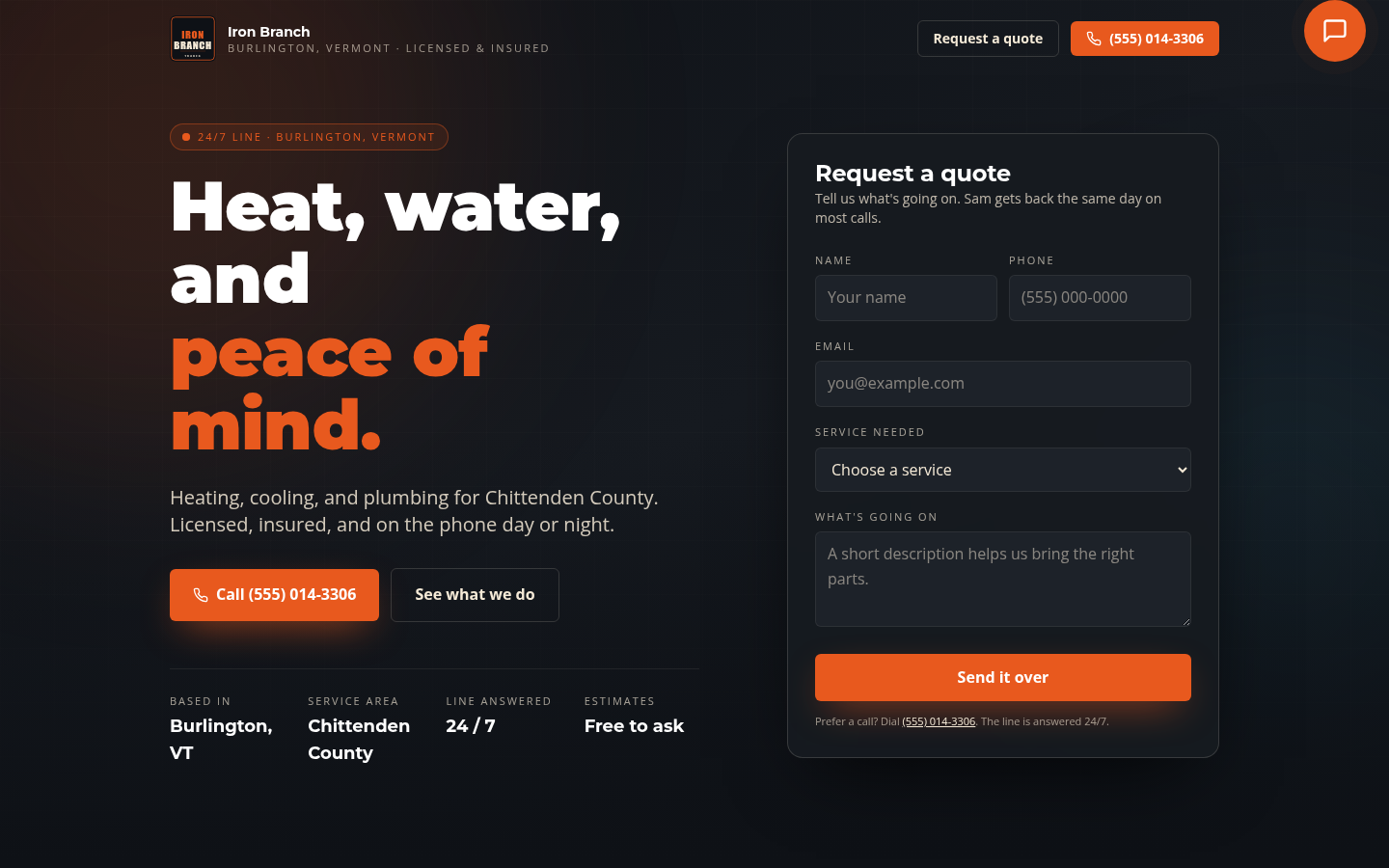
Most trade-business sites read like phone book listings. This one shows up like the truck pulling into a driveway. Built for HVAC, plumbing, electrical, roofing, and any home-services trade where the after-hours phone is the difference between getting the job and losing it.
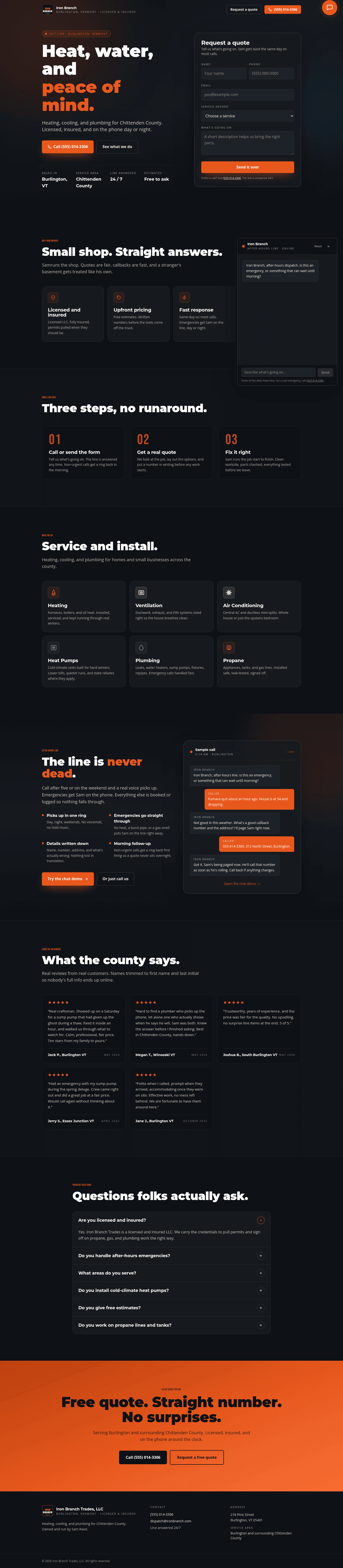
The standout feature is a real after-hours AI dispatcher. A chat widget, backed by Claude Sonnet 4.5 via OpenRouter, that triages emergency calls, captures caller details, and tells the homeowner the owner is being paged. The system prompt builds itself from a single config file.
Who this is for
- HVAC, heating, cooling
- Plumbing, drain, septic
- Electrical contractors
- Roofing, especially storm-response operators
- Locksmiths
- Garage door repair
- Pest control
- Any home-services trade that loses money when the after-hours phone goes unanswered
Who this is not for
- Storefront retail
- Restaurants
- Subscription or membership businesses. See Ridgepole Fitness.
- Service businesses that run Monday to Friday, nine to five, with no after-hours leads to capture
What’s inside
- Single-page Next.js 16 source with eight sections
- Sticky header with scroll-triggered backdrop blur
- Hero with mailto-based quote form (no backend)
- Why Choose pillars, How It Works, Services grid, Testimonials, FAQ accordion
- OpenRouter-backed AI dispatcher: system prompt, chat widget, FAB, route handler
- Reveal-on-scroll animation system
- Bundled open-licensed fonts (Bebas Neue, Montserrat, Open Sans)
- SVG logo and favicon
- Netlify deploy configuration
- Single-site commercial license
What you bring
- Your business name, services list, and contact info
- An OpenRouter API key (free signup, free trial credits)
- Your logo (SVG or PNG)
- Your after-hours emergency policy (the AI dispatcher uses it in the system prompt)
- Optional: a business phone number, service area, license number
Iron Branch vs the obvious alternatives
| Iron Branch Trades | Jobber Sites | Squarespace plus plugins | |
|---|---|---|---|
| Cost | $79 one-time | $35 to $99 per month | $23 to $49 per month, plus add-ons |
| AI dispatcher built in | Yes, Claude Sonnet 4.5 via OpenRouter | No | No |
| You own the source | Yes | No | No |
| Single config drives whole site | Yes | Limited | No |
| Time to launch | A weekend | A few days with onboarding | A weekend |
| Hosting | Netlify or Vercel, free tier works | Jobber-hosted | Squarespace-hosted |
| Per-trade flexibility | Edit one config to switch from HVAC to plumbing | Limited | Fully manual |
Note on the AI dispatcher
Buyer brings their own OpenRouter API key. The demo runs without one, so the chat will surface its empty state when opened. README walks through setup.

How to set up Iron Branch Trades
- Step 1 Install
Download the zip from the purchase email, extract it, and run `npm install` in the project root.
- Step 2 Edit the site config
Open the single config file and update business name, services list, contact details, and after-hours policy.
- Step 3 Replace the brand
Swap the logo SVG and favicon for yours.
- Step 4 Wire OpenRouter
Add your OpenRouter API key to the environment so the AI dispatcher can connect (Claude Sonnet 4.5 by default).
- Step 5 Tune the dispatcher prompt
The dispatcher's system prompt builds itself from the config, so editing your services and policy is enough for most trades.
- Step 6 Preview locally
Run `npm run dev` and test the chat with a real after-hours scenario.
- Step 7 Deploy
Push to Netlify or Vercel.
Common questions
Do I need an OpenRouter API key for the AI dispatcher?
Yes. The dispatcher routes through OpenRouter, with Claude Sonnet 4.5 as the default model. You bring your own key. Without it, the chat surfaces an empty state.
Can I use this for trades other than HVAC?
Yes. The single config file drives the whole site. Plumbing, electrical, roofing, septic, locksmiths, garage door, and pest control all work the same way.
Does it require a backend?
Just the OpenRouter route handler. Everything else is static. Deploys to Netlify or Vercel as-is.
Do I need Next.js experience?
Helpful but not required. The README walks through editing the config file, replacing the logo, and deploying.
What's included in the zip?
The full Next.js 16 source, an OpenRouter-backed AI dispatcher (system prompt, chat widget, FAB, route handler), bundled open-licensed fonts, SVG logo and favicon, Netlify deploy config, and a buyer README.
What's the license?
Single-site commercial license. One trade-business build per purchase.